Know the moment your work is done.
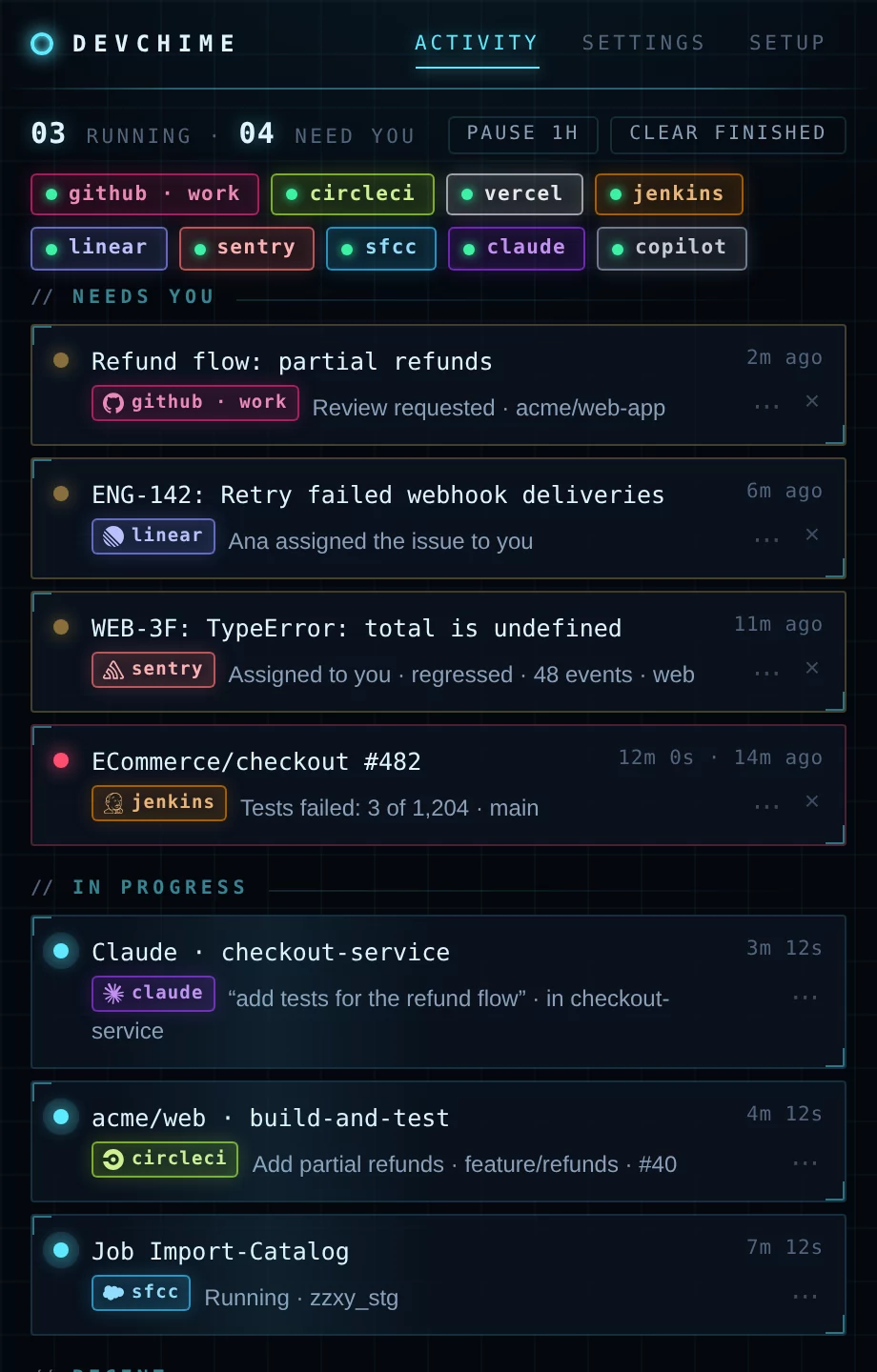
DevChime sits quietly in your tray and watches what you're waiting on — your AI agents, builds, reviews, tickets and designs — then pings you when it finishes or needs you. Only things triggered by you. Everything stays on your machine.
Works with
See it in 34 seconds
What it watches
AI coding agents
Claude Code finished a long reply or is waiting for your approval. GitHub Copilot's agent in VS Code finished a request.
claudecopilotBuilds & CI
GitHub Actions runs, GitLab and CircleCI pipelines and Vercel and Netlify deploys you started, Jenkins builds you triggered — including the ones a push of yours kicked off. Salesforce Commerce Cloud jobs.
githubgitlabcirclecivercelnetlifyjenkinscommerce cloudReviews & tickets
Review requests and mentions on GitHub and GitLab. Jira issues assigned to you, mentions, and your issues changing status — with per-status rules. Your Linear inbox: assignments, mentions, comments and status changes. Sentry issues assigned to you, and new or regressed ones in your projects.
jiralinearsentryDesign & content
Figma comments that mention you, replies in your threads, resolved threads and new named versions in the files you follow. Contentful environments you create finishing their copy, your scheduled publishes going out, and tasks assigned to you.
figmacontentfulTerminal
Any command that ran longer than you'd like to stare at it: builds, migrations, test suites, deploy scripts.
shellAnything else
A one-line command or a local web request lets any script report in: cron jobs, deploys, your own tools.
How it works
- InstallDownload for Windows, macOS or Linux. It lives in your tray; turn on Start at login and it’s always there.
- ConnectAdd GitHub, GitLab, CircleCI, Vercel, Netlify, Jenkins, Jira, Linear, Sentry, Figma, Contentful or Salesforce Commerce Cloud with a personal token, and connect Claude Code or Copilot with one click.
- Get pingedOnly for what you started or what needs you: on your desktop, your phone, Slack or Discord.
Only yours
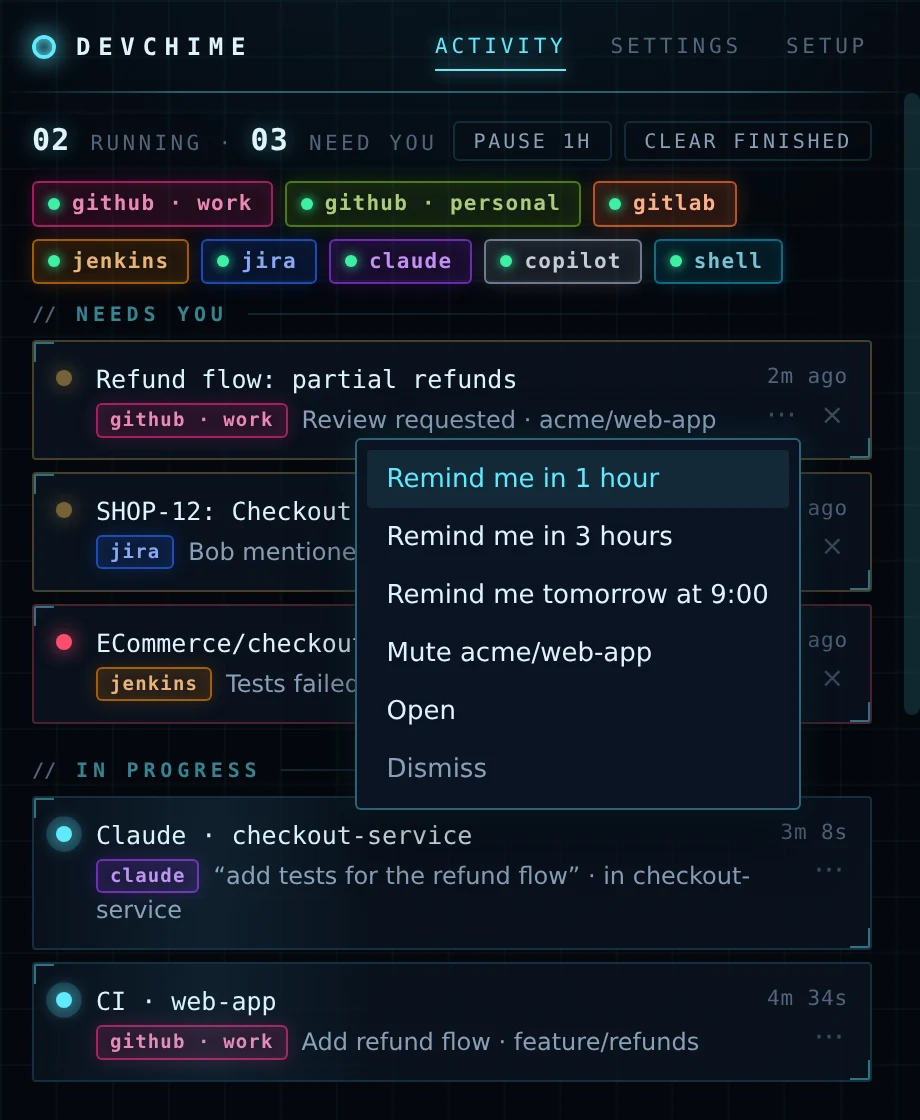
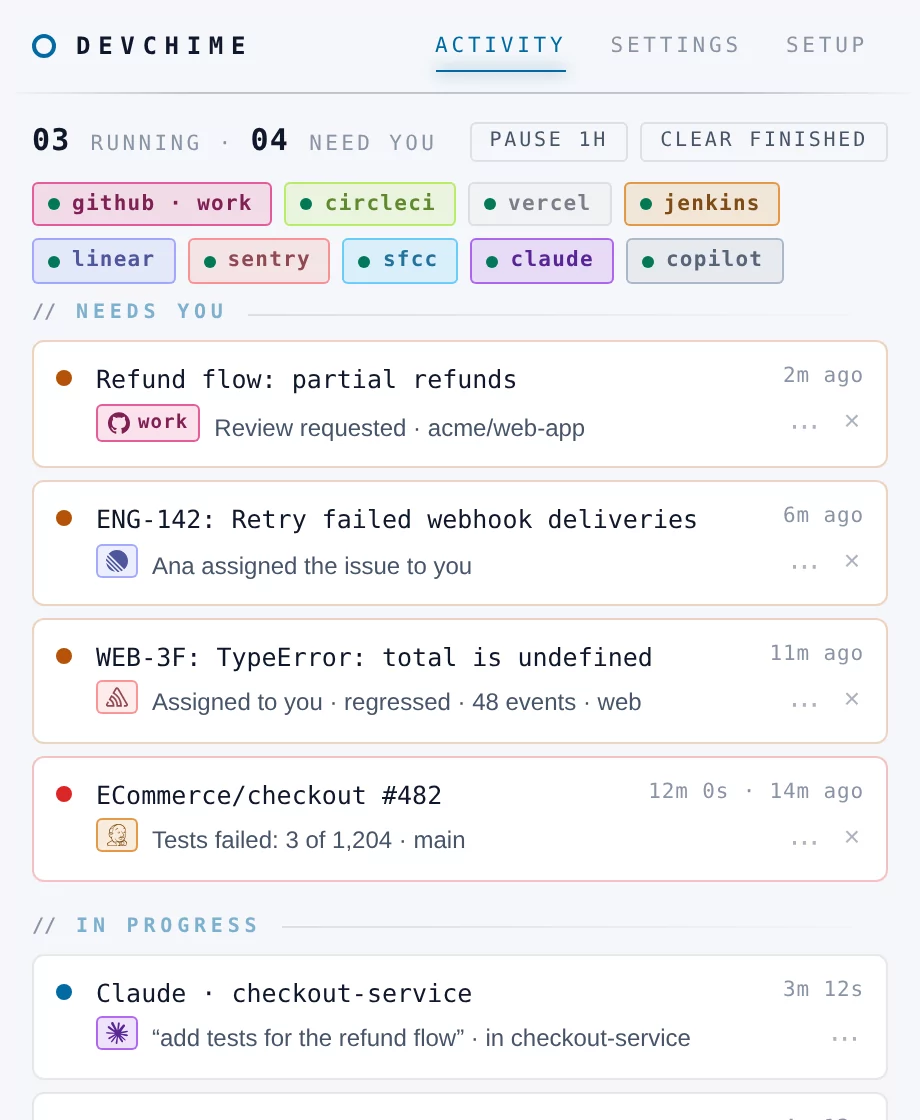
DevChime filters to what you triggered — your runs, your builds, your issues, your threads — so a busy team doesn't bury the one thing you're waiting for.
Local by design
No account, no cloud, no telemetry. DevChime talks directly to the services you connect, with tokens stored on your computer.
Alerts where you are
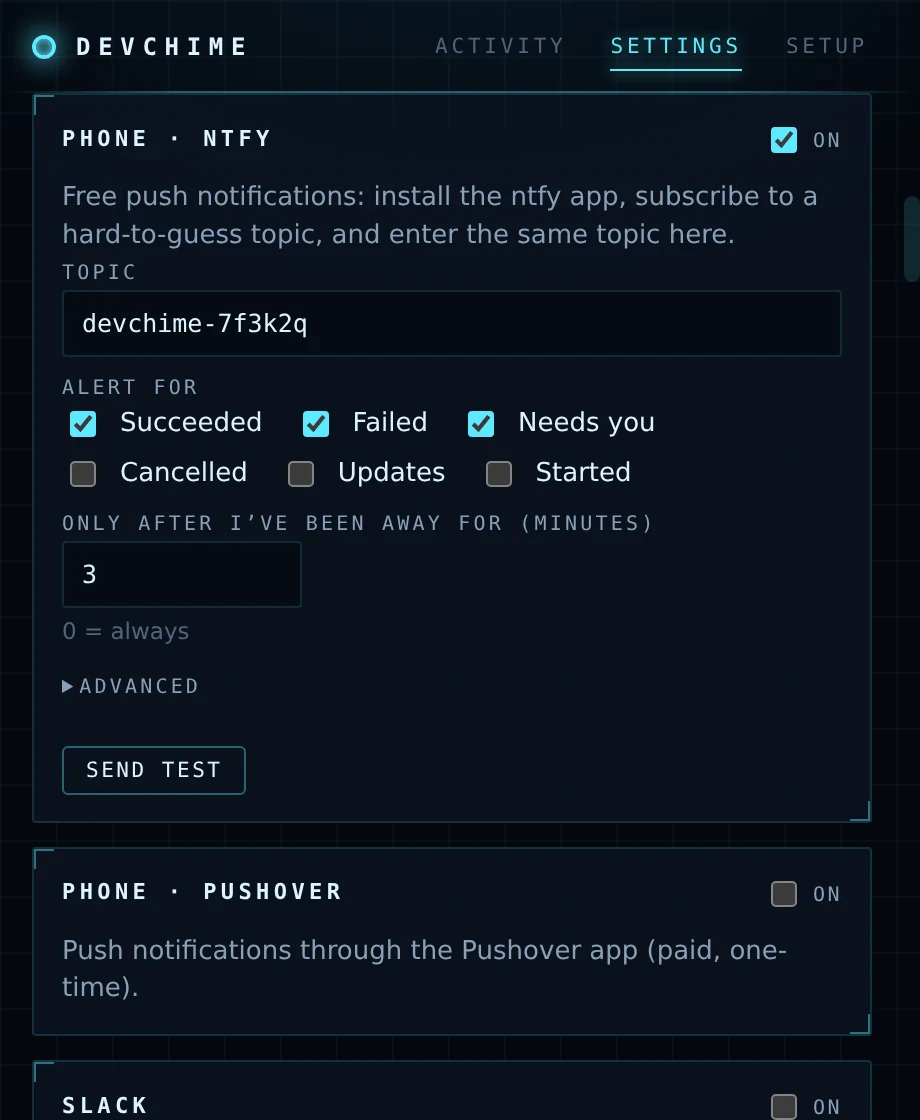
Desktop notifications, your phone through ntfy or Pushover, Slack or Discord. Phone alerts can wait until you've stepped away from the keyboard.
Pricing
| Feature | Free | Lifetime |
|---|---|---|
| Connected services: GitHub, GitLab, CircleCI, Vercel, Netlify, Jenkins, Jira, Linear, Sentry, Figma, Contentful and Salesforce Commerce Cloud accounts, Claude Code, Copilot | Up to 2 | Unlimited |
| Long terminal commands and custom events | ✓ | ✓ |
| Dashboard, account pills and filters | ✓ | ✓ |
| Desktop, phone, Slack and Discord alerts | ✓ | ✓ |
| Updates | ✓ | ✓, for life |
| Price | Free |
Launch price until Nov 30 · one-time payment
One license key works on Windows, macOS and Linux, on two of your computers at a time; move it by deactivating one in Settings → License. Free and Lifetime have the same features: only the number of connected services differs. Payments are handled by Polar, our merchant of record.
In the Mac App Store, DevChime Lite works with GitHub, GitLab, CircleCI, Vercel, Netlify, Jenkins, Jira, Linear, Sentry, Figma, Contentful and Salesforce Commerce Cloud, and unlocks with an in-app purchase that applies to that app only. Apps there must run in Apple's sandbox, which doesn't let one app connect to another app's settings, and that's how DevChime hooks into Claude Code, Copilot and your terminal. The direct download isn't sandboxed, so it can.
Download

On Windows you can also install DevChime from the Microsoft Store: no security prompt, and the Store keeps it up to date. Your license key works in both.
On WSL or a Linux server you can also run DevChime headless, with the dashboard in your browser.
Questions
Does DevChime send my code or data anywhere?
No. It runs on your computer and talks directly to the services you connect (GitHub, GitLab, CircleCI, Vercel, Netlify, Jenkins, Jira, Linear, Sentry, Figma, Contentful, Salesforce Commerce Cloud) using your own tokens. From AI agents it receives, on your own computer, when a request starts and finishes, the project folder, the prompt you typed (it keeps a short excerpt, as a label) and the start of the reply — never your code, files or full conversation. Alerts go only to the channels you set up.
Which tokens does it need?
A personal token for each service you connect. Jira and Figma tokens can be read-only; DevChime only reads.
What counts as a connected service?
Each GitHub, GitLab, CircleCI, Vercel, Netlify, Jenkins, Jira, Linear, Sentry, Figma, Contentful or Salesforce Commerce Cloud account that's turned on, and each coding agent you connect (Claude Code, Copilot). Long terminal commands and your own scripts don't count. The free version runs the first two; buying unlocks any number.
Can I move my license to another computer?
Yes. A license key bought here works on Windows, macOS and Linux. Use it on two computers at a time, and move it by deactivating it on one (Settings → License) to use it on another. A key bought here also unlocks DevChime Lite from the Mac App Store. A purchase made inside DevChime Lite is tied to your Apple ID and unlocks it on all your Macs; to use DevChime on Windows or Linux too, email [email protected] with your App Store order ID (it’s on Apple’s receipt) and we’ll send you a license key at no charge.
Why is Claude Code missing from DevChime Lite on the Mac App Store?
Mac App Store apps run in Apple's sandbox, which doesn't let them change another app's settings. Connecting Claude Code, Copilot or your terminal needs exactly that, so those integrations are in the direct download.
Does it work with WSL?
Yes. The Windows app can connect Claude Code and Copilot both on Windows and inside WSL, and alerts arrive as normal Windows notifications.